Leaderboard



Popular Content
Showing content with the highest reputation on 02/12/2020 in all areas
-
The FISD Membership has Spoken! Please join me in congratulating Andrew Franke as the FISDs new Detachment Leader! Congrats Andrew!!6 points
-
Hello, Im Matthew, part artist, part philosopher and I've never been interested in sitting still. I've wanted a light sabre for years. Yet, I never gave in to purchase a sabre. An image came to mind, a skeleton of aluminum and copper, wires and tubes, and with that thought, I decided to build it. Im well past 60 hours on the sabre with maybe just 20 more to go and I've found my next project. I've always wanted a stormtrooper helmet, and I will build that aswell. I was looking on the 501st website, searching for the regulations of the Rogue One Stormtrooper helmet. It's a symmetry thing. Reading the red font as if im going to build it, I want it to be epic, so it needs to be as right as possible. I have a lot of questions and felt this was the right place to start. All the best and thank you in advance for all this information. Matthew3 points
-
Hi Matthew, Welcome to FISD. I would suggest for your project of Rogue One (R1) Stormtrooper Helmet to check the following forum section abour the armors (Helmet if the vendors sale it separate) and the optional Black Serire R1 Helmet modification . === ROGUE ONE ARMOR === Type: Jimmiroquai Country: PI Contact: email [email protected] Kit: Kits are lightweight flexible fiberglass. Availability: PM to ask, varies Assembly: Fully trimmed and partially assembled, e.g. if it fits out of the box one can go straight to rigging and painting. Comments: No issues with quality or service reported to date. Feel free to ask questions, we are here to help. Cheers3 points
-
3 points
-
I normally just read the newsletter and move along. With this maybe being Glen's @gmrhodes13 last newsletter. I want to say thanks for your time and touch you put into it. Looking foward to the next issue3 points
-
Here I’ll be starting my slow and steady build process for my R1TK. I’ve got the Nico Henderson files for the bucket, hope to start printing within the next week!2 points
-
Those are the correct type, sir.2 points
-
Lol he *is* wearing them [emoji23] Sent from my iPhone using Tapatalk2 points
-
Copy that! Dedication and perseverance have finally prevailed. Congrats Andrew2 points
-
@Sidius sorry about the delay - I just updated the post title to reflect the proper TKID. Congrats again2 points
-
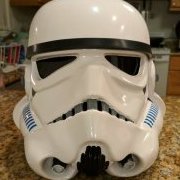
I think my wife did a bang up job with the painting of my helmet.2 points
-
Congratulations Andrew! Well deserved. I know you will do great things here on the FISD. Good Luck next term and I will be cheering you on the sideline!2 points
-
I’ll get another photo tomorrow, I blame the Missus for the shadows, just don’t tell her that Sent from my iPhone using Tapatalk2 points
-
While there are a number of ways to attach the lenses inside your bucket, I found the easiest and fastest is to use a product called SUGRU. It is a kneadable glue, sort of like play-doh (plasticine) that is super easy to work with, and will hold forever. It does keep somewhat of a pliable consistency after drying, can be removed if you ever need to and does not emit heat during the curing process like CA or Epoxy glue. It is available online (like here on Amazon) and in many craft shops, usually in packets of 3. It comes in a variety of colors, but I suggest using the black. HINT: This can be done if you have already built your helmet, but it is easier if the face plate has not been attached. This whole process will take you less than 10 minutes to attach both lenses. Here is a photo of one of the individual packets, and the contents rolled into a ball. In this instance I am using 1 packet per lens. You will need a craft (popsicle) stick, sharpened at one end: Here is the trimmed eye opening from the inside: The next step is to roll the SUGRU into a small "snake" shape about 7 inches in length. (No longer). After that, you simply press it into the outside edges of the eye opening. Note that I left an open spot at the top. I recommend this for ventilation purposes. (Helps keep your lenses from fogging up). Place the lens evenly over the opening. Using a craft (popsicle) stick, push the glue firmly into place around the outside, making contact with both lens and helmet surface. Don't worry if it seeps through to the front. Hint: This glue is strong stuff. You don't need a crazy amount of contact surface. It will not come off unless you take it off. Turn the faceplate over, and any glue that has seeped through (see red circle) can be easily removed with the sharpened end of the craft stick. Allow 24 hours for it to dry, and you are DONE!1 point
-
DISCLAIMER While there are some really good threads on this subject here on the FISD, I just wanted to highlight a few areas with some more detailed images. As many of you know, I am not a computer savvy guy, so I designed this for those who are in the same boat I am. Now, on with the show.... Whether you are just starting a build thread or just have a technical question, posting a photo is vital for getting solid advice here on the FISD. A verbal description is one thing, but a picture really is worth a thousand words. You will also need to post photos if you are applying for Expert Infantry/Centurion levels. In order to do this, you will need an image hosting server. For the following I am using imgur (imgur.com). This is a free service, and allows you to crop, re-size, rotate, post and store your photos. It may be a bit confusing at first, but I promise that once you get the hang of it you will be a pro in no time! NOTE For the purposes of this tutorial, we will use as an example that you have a question about the center of your ab-plate section. Instead of posting a photo of the entire costume, you can (and should) crop and re-size it to show a close-up. Assuming you have installed imgur and the photo(s) are downloaded on your PC or laptop in the Pictures section. To add a photo to your imgur Gallery: 1. On your imgur home page, click on your name at the top right (Step 1). This will give you a drop-down menu. Click on Images (Step 2). This will bring you to your Gallery (library/storage area). Go to the task bar at the bottom of the screen and click the New Post button. In the next window you can either just drop image directly to the drop images here box or select Choose Photo to browse your PC and select the images you want to upload. Finally go to Step 1 and 2 to acces your gallery to see the images you uploaded. The photo is now part of your Gallery... time to Edit! 1. Scroll over the image you wish to edit. You will see a pencil symbol and a trashcan. Click on the pencil, which will highlight the image in a green box . Click on the Edit tab on the top right. To crop/re-size: 1. Click on the Crop/Resize button. 2. Using your mouse, create a box around the area to be saved. 3. Hit Apply. To change the size, go to the numbers on the top right of the page. 4. I normally just use the one on the right (399 in this case) but you can use either. Click on the box and back out the number, then add your own to reduce or enlarge the image. 5. Hit Save. VERY IMPORTANT! The edited image is automatically changed and added to your Gallery. To Rotate your image: 1. 1. Scroll over the image you wish to edit. You will see a pencil symbol and a trashcan. Click on the pencil, which will highlight the image in a green box . Click on the Edit tab on the top right. 2. Click the Rotate tab. IMPORTANT: You may have to reduce the size first in order to get the entire image on the screen and successfully save it. 3. It will give you 4 choices like this: 3. Click on the one you want and hit SAVE. NOTE: You cannot Crop/Resize until you have saved it. O.K. time to post it up! In your Gallery, LEFT click on the center area of the pic you wish to post, which will bring you to the area as seen below. 1. LEFT click on Copy next to Direct Link. 2. Paste into your post or thread. DONE DEAL! Posting using a mobile device (phone): *** ***Special shout-outs to Glen (gmrhodes13) and Colin (OddViking327) for the following info. !! From Glen: After adding the imgur app., upload to Imgur then click on the image, then hold thumb on the image, it will open an options page then select copy link, on left, then post into your thread. Doing it this way will give you a link with the image tag, ie: jpg or png and so on. From Colin: Use the phone app to upload to Imgur right from your phone (set it to private and you can post them here, but they won't be searchable in their feed, and you don't have to title them). On each image on the Imgur in your Gallery, click it, and copy the BBCode tab *** and paste it into your post. It won't show while writing your post, but will show after you hit "Submit Reply". Super easy. And if people want to see a bigger version, clicking on it takes them to it. *** IMPORTANT!! Once you have attached a photo into a post or thread, do NOT delete or edit it in your Gallery. If you do so, it will disappear from your post. If you have any questions or issues, please feel free to ask on this thread.1 point
-
I picked up this HUSKY Mobile Tool Chest from Home Depot in Bellingham WA to transport my armour for trooping. It's a 50 gallon capacity so it is quite big, has a pull out handle and a caddy inside to hold small stuff. I decided I would make it look like something you might see on the Death Star so thought I'd share the build with you.1 point
-
Yes, but it's hard to tell how they fit because of the black under-suit/black background.1 point
-
Hey Matthew welcome to the FISD.1 point
-
Hey brother Here is a list of some of the things you will and some other may need: - E6000 - Spring clamps (x4) - Sand paper 220 - Rare earth magnets (x20) - Large half round file - Small file set - Lexan scissor curved & flat - Line 24 snaps - Snap setting tool - Locking plier - Flat screwdriver - Bifurcated/split Rivets 5/16 (8mm) - Single cap rivets - 1 inch wide black elastic (shoulder) - 2 inch wide for ab/back plate - Heavy duty tim scissor - Metal ruler (cut cover strips) - Hand rivet gun - Blue painter's tape (hold pieces together) - Buthane lighter (seal elatics ends) - 1 inch foam padding - 2 inch wide heavy duty velcro - Small brushes - humbrol paint #85 coal black Satin - Humbrol paint #14 french blue gloss - Humbrol paint #5 dark admiralty gray gloss - Frown mesh - Soldering iron (open holes in elastic) - Respirator (safety) - Protection gloves (safety) - Silicon heatgun - Dremel - Sand block 180 - X-acto blade - Heavy duty razor knife - Metric ruler - Large half round file Sorry that i dont have the pictures of all the things, soon I'll make a thread about this, with pictures1 point
-
If it’s just the R1 TK helmet you’re looking to create seek out Nico Henderson’s amazing 3D file. It’s not listed in the vendor section here but you’ll find him on Facebook. Sent from my iPhone using Tapatalk Pro1 point
-
Recently I purchased an SKB travel case to transport all my trooping goodies. I probably should have gone one size down but think this will best hold everything without any constraints. No photos yet of my armor in it but I i know it fits everything including my DLT-19, helmet and blaster toolbox case. It is free standing as well which is a plus here in Japan with limited floor space to store things. Cost on Amazon.com is about $250.00. I was lucky to find a supplier locally and got one for roughly $300.00 Some US based company estimated it would cost $250.00 to ship to Japan. That was just the shipping fee not including custom fees! Good grief! Interior dimensions are: 50 x 20 x 13 ■外寸:129.5W×55.5D×36.8Hcm Outer dimensions ■内寸:126.3W×50.8D×34.9Hcm(蓋17.1cm/ベース17.7cm)Inside dimensions ■重量:10.6kg Product Info : http://www.skbcases.com/sports/sku.php?cat=16&pid=73 This case is too big to travel on some airlines and my wife has warned me the train company here might charge me extra to board the train with it. I will report back if they do force me to pay extra public transportation fees. But other than that, it is a great sturdy case that will accommodate all your trooping equipment. Hope this helps.1 point
-
1 point
-
Whoop Whoop! Congrats Sly!!!1 point
-
Congrats Andrew! I’m looking forward to finally becoming a Legion member during your tenure (this year)! You’re going to [continue to] be a fantastic resource to the Detachment! Sent from my iPhone using Tapatalk1 point
-
Way to go, Andrew! I have every faith that this is going to be a momentous year here on the FISD with you at the helm.1 point
-
At this point it looks like you have a rather large opening at the bottom, Mark, as well as a lot of extra on the ridges. The bottoms should fit a bit more snug, but not be tight by any means. Reducing the ridges on each side will allow you to do this, but do it in small increments so you will not remove TOO much.1 point
-
Maybe you should write to Hotmail for support let them know of the problem?1 point
-
Yes I opened a new gmail account as a test and I get all emails no problem, but in my hotmail not getting emails from gmail .1 point
-
Hi I have a few suggestions to make but I’m on my phone and need my PC to draw up some pics to help show what I mean. I’ll do that when I get home from work, unless someone else gives the same advise in the meantime. The way I see it you can trim more in the front in order to get the coverstrips closer to the 20mm mark (it would help to know how much of the flat area you have right now) by having a gap in the rear and by trimming the thighs with a taper. I’ll also show how to alligne the thighs at the bottom. Unless someone beats me too it1 point
-
I align at bottom and trim at top, but just my approach not required. Sent from my iPhone using Tapatalk1 point
-
Glad to see another ROTK. Looking forward to seeing you build!1 point
-
Also base of the thighs flares out a lot, does this somehow need to be tapered? Also does the alignment at the base look ok? Sorry for all the questions, just want to get it right Sent from my iPhone using Tapatalk1 point
-
great issue.1 point
-
Some nice pieces there1 point
-
Great update Chris! The world may be a BIG place but help can come from many parts1 point
-
Looks as if everyone is pointing you in the right direction for sure. I would also check out this page ! It has everything you'll need to reach your goal, and who knows you may just be the one that gets us to 1000.1 point
-
Haven’t gotten too much in terms of work done on the armor as of late.. besides filling the seams on the biceps, and ab/back pieces. That JB Weld PlasticWeld stuff is pretty darn sweet. You squish it together to mix the two parts and it’s basically a play-doh type material. I rolled it into thin pieces and pushed it into the seams. Cure time is 3 hours but I waited a day or two and then sanded it down. It sands just like bondo does. In the realm of parts and pieces, I did happen to receive what I believe to be the last set of uncut rubber gaskets this side of the Outer Rim. All thanks to a man that honors the fact I called dibs on them when he was thinking of letting them go! Now Centurion is definitely within reach! And last but not least, Mrs. Teresa (who has been a complete delight to work with) is sending out my harness, seal, and fabric gasket sets. Sent from my iPhone using The Force1 point
-
Hello there!! You have to supply the link to your 501st profile. Sent from my motorola one vision using Tapatalk1 point
-
While wearing my ESB I did get asked a few times "hey why does that one have black teeth" so really depends on the look you want and if you want to stand out or merge with others Here is a spreadsheet comparison of OTTK's https://drive.google.com/file/d/10tEVteIreh6AHMogW010cuH_Bf8TBfU6/view1 point
-
Essentially ANH-S and ESB are the same, apart from slight colour and painted detail differences (ESB has a slightly larger eyes cut out too), only the hand plates and the canvas belt are the parts that are not interchangeable. It really gets down to your personal preferences.1 point
-
All things considered it's pretty good. 418 TFA/TLJ costumes approved considering A, How expensive the kits are compared to OT B. How hard these kits are to put together compared to OT - it's many times harder C. How hard to find these kits are compared to OT The fact that it's the #2 TK type is really impressive.1 point
-
Thanks for the input, might go with RSPropmasters as they seem to have everything in a package and just minimal follow up work to complete. Now to pick ANH or ESB......1 point
-
You certainly came to the right place Leonardo, this is very exciting to hear you want to go to the next level with your armour. TKC's are very cool, so as mentioned by Arthur, please take a look at the CRL and if you have any doubts or questions please ask. We are all here to help make your dream a reality sir.1 point
-
According to Google: measures 37.75 x 14 x 18.25 inches (W x H x D);1 point
-
What are the dimensions of your plano box ? Sent from my 0PM92 using Tapatalk1 point
-
I use a Plano XXL storage box. It's on the smaller side but works for me. It has wheels but I use a simple folding dolly to make tea sport easier. This is how I pack it.<br>1 point
-
Is there any reason you guys carry your helmets separate from the rest of the suit? Are they prone to cracking or scuffing sitting in the chest?1 point
-
If I want something I want the best so have gone for a hardigg ex military case, more expensive but stronger, airtight, lightweight (for what it is) and plenty big enough... -------- that's no moon, Kim Kardashian is bending over again...1 point
-
LOVE that you posted the inside as well as the A W E S O M E outside... Seeing how others store / transport their stuff gives me ideas on how to do it myself... Dan1 point
-
Awesome job man. Makes me want to do the same.1 point