
Leaderboard


Popular Content
Showing content with the highest reputation on 12/31/2025 in all areas
-
Greetings Troopers, In line with some other CRL naming the Stormtrooper - Rogue One CRL has now been renamed to Stormtrooper - Non-Saga. This will bring the CRL in line with other detachments and also allow us to consolidate the uses of the armour from Rogue One, Andor and Kenobi, as well as any future uses, meaning we will not need multiple nearly identical CRLs with trivial differences. There's some wording that still references Rogue One, this will be addressed in time. https://crls.501st.com/fisd/stormtrooper-non-saga4 points
-
These changes are now applied to the working document I have for the NT which is in the correct format for the new CRL system. The R1 CRL was renamed to Non-Saga yesterday so will request the other CRLs be updated "soon".1 point
-
I say ish as this arrived in July, but 2025 I guess.... This is a ShearTech Rubber ANH E-11. I borrowed one of Marks at the start of the year having carried my Doopy for 9 years at that point. The lack of "oh no what if I drop it" was such a weight off my shoulder so once I got round to it a couple of months later I ordered one and it arrived in July. Where it mostly sat in a box until now. One thing I did change was the weathering. It came pre-weathered but not to my personal taste which is less is more. Most of the pre weathering was removed with IPA or acetone for stubborn areas and then I used Warhammer paints and a cheap Ali Express drybrush to repaint the slide and apply subtle weathering. The slide also got a coat of nuln oil and was then also drybrushed. I'll post some photos here. This isn't a Hyperfirm ultra idealised and perfected casting. It's a real world casting of a real Sterling, warts and all. I've also got a couple next to my Doopy Doo I built way back in 2016. ShearTech at the front, Doopy at the back.1 point
-
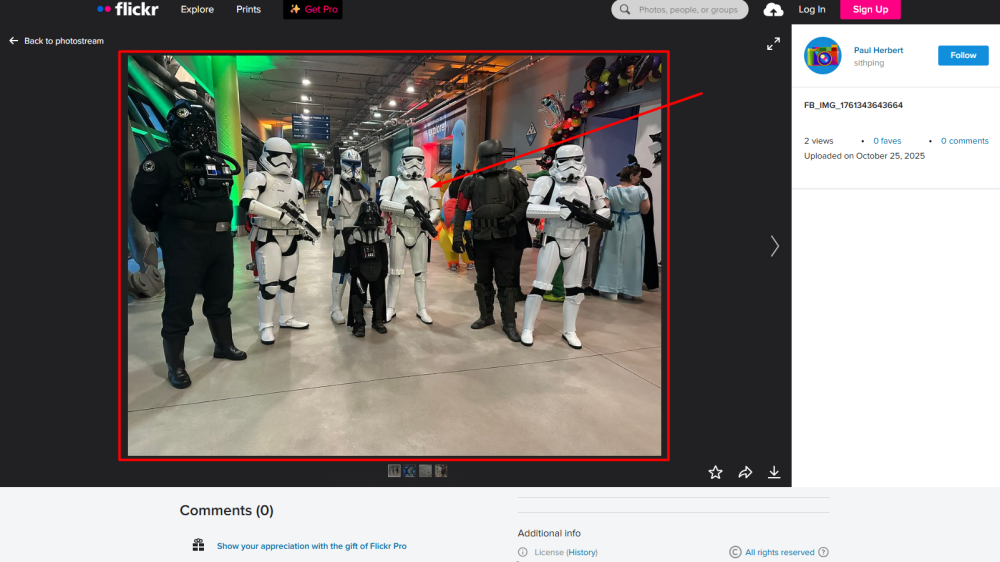
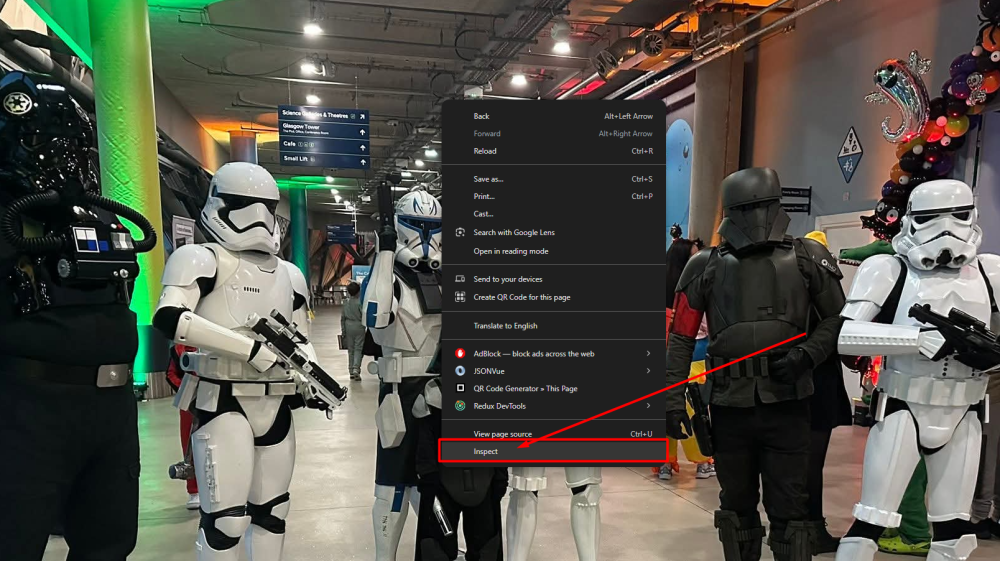
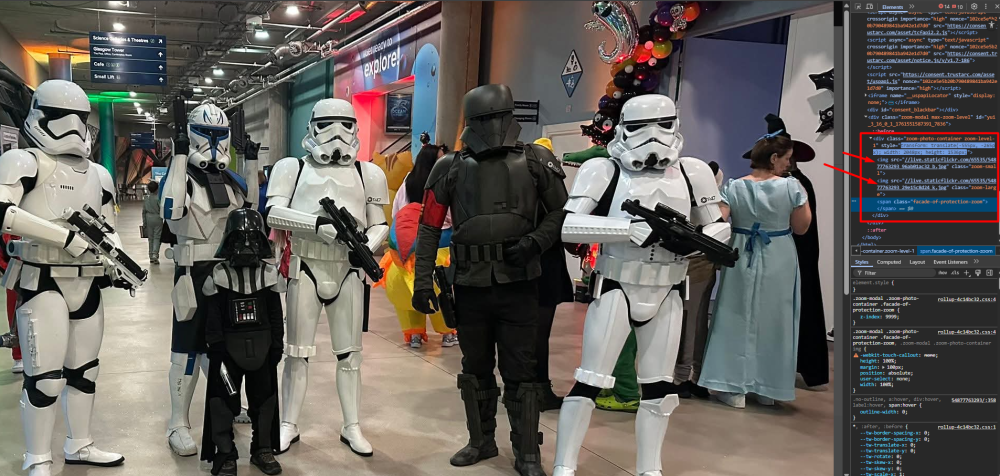
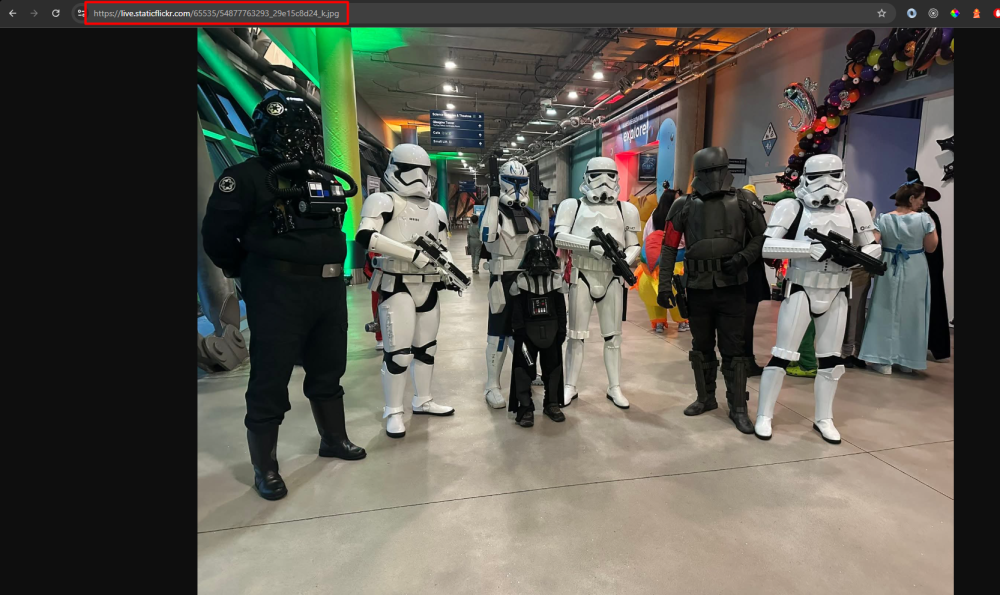
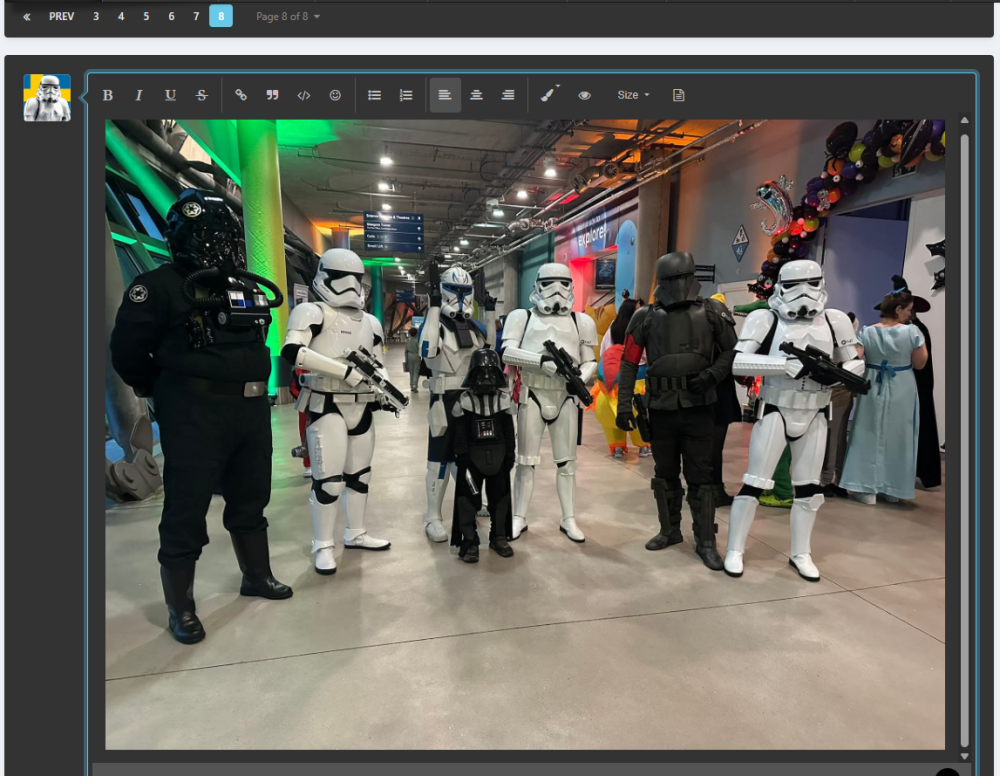
With imgur currently being blocked in the UK because of the data investigation that is going on, there is a way that you can get your photos into your posts! Some background information: What the forum needs to display an image in posts For an image to be displayed in posts on the forum, it needs an image url. When we drag images from our device into a post, the forum itself uploads that image and becomes the "host" of the image. We used to have very limited storage allocated to each account on the forum, that's why using imgur on the forum became a thing in the first place. When you upload an image to any platform e.g. Flickr, that platform becomes the host of your image, you take up storage on their servers. Every image has a link to where it can be accessed, this is called the "Image url". It's this "Image url" that we now need to go fetch from the Flickr platform, lets go!! We need to do a little more work here compared to the imgur tutorial, so sit down and get comfortable! Getting the Image url On your Flickr post. Click on the image you want to add to the forum - to zoom it. Right click on the enlarged image and press on "Inspect". This will open up the enlarged container, it holds the thumbnail image (the first in this container) and the original image (the second in this container). Double click on the second img src link to mark it, and press Ctrl+C/right click and choose "Copy" Open up a new tab in your browser, and paste the link in the Address bar. This will append "https:" to the front of your image url, since the image url that we copied in stage 4 just started with "//". Final step, copy the url from the Address bar and paste it to your post, and voila - you have an integrated image from Flickr! TL;DR (condensed version without images) On your Flickr post. Click on the image to zoom it. Right click on the enlarged image and press on "Inspect". This will open up the enlarged container Double click on the second img src link to mark it, and press Ctrl+C/right click and choose "Copy" Open up a new tab in your browser, and paste the link in the Address bar. Final step, copy the url from the Address bar and paste it to your post Thank you to Paul @Sithping for being the involuntary example in this guide! Example image from this troop log.

 1 point
 -
Yes this is a good spot. If some one sends me a new image I can get it replaced.1 point


